What 9× the price buys in AI image generation
Some links on this site are affiliate links. If you sign up through them we may earn a commission at no extra cost to you.
We rendered one 377-character Chinese ad prompt six times at 1024×1024: four calls with quality set to low or high, one at max, and one with no quality field at all. High quality cost 8.96× more per image than low, $0.05268 against $0.00588, and it finished in the same time, 26.2 seconds against 25.1. Max cost 35.8× more than low and took 59.0 seconds, more than twice as long.
We could not tell the tiers apart by looking. All six renders returned their nine text strings correctly, and the type weight that varied between them did not follow the price. Two of the six came back with heavy strokes: both were high. The max render and the no-parameter render came back light, and the second costs the same as high.
The default is the expensive tier on fal. A request that omits quality is billed at high, and nothing in the response says which tier it used. That is the part worth acting on.
What was held constant
| Held constant | Value |
|---|---|
| Prompt | one 377-character Chinese ad brief, byte-identical to our September run |
| Size | 1024×1024, PNG |
| Endpoint | openai/gpt-image-2.5/flare/text-to-image on fal |
| Images per call | one |
| Execution | serial, so no two calls compete for the same queue |
| Only variable | quality: low, high, max, or omitted |
Using the same prompt as September lets today’s renders sit next to the old ones without re-running a second model.
The price ladder
fal’s published price for one 1024×1024 image, read on 2026-10-26:
quality |
Price | Multiple of low |
|---|---|---|
| low | $0.00588 | 1× |
| medium | $0.01317 | 2.2× |
| high | $0.05268 | 9.0× |
| xhigh | $0.09366 | 15.9× |
| max | $0.21072 | 35.8× |
We compared this table with the same one from September. No line moved.
The six runs
| Tier | Run | End to end | Queue | Cost |
|---|---|---|---|---|
| low | 1 | 27.8 s | 2.0 s | $0.00588 |
| low | 2 | 22.3 s | 1.9 s | $0.00588 |
| high | 1 | 27.2 s | 2.1 s | $0.05268 |
| high | 2 | 25.2 s | 1.9 s | $0.05268 |
| omitted | 1 | 23.6 s | 1.9 s | $0.05268 |
| max | 1 | 59.0 s | 8.4 s | $0.21072 |
Mean for the two declared tiers: 25.1 s at low, 26.2 s at high. The ranges overlap, so this sample does not show the expensive tier is slower. Queueing was 2 seconds on every call except max, which waited 8.4.
Max is the one tier with a clear time cost: 59.0 seconds, 2.3× the high tier. That is a single render, so treat it as one observation rather than a rate.
The API’s own records agree with the stopwatch. Its duration field reports 17.5 seconds at low, 19.3 at high and 47.3 at max, averaged over the runs above. Wall clock is higher because it includes queueing and the download, and the three numbers move in the same proportions.
September measured 2.5/flare at high as 26.4 seconds, which agrees with today’s 25.2 and 27.2. September measured low at 15.7 seconds; today it took 22.3 and 27.8. That is server-side variance, and it removes any claim that low is reliably faster.
What the six images showed
Nine strings appear in each render: 随借, 随还, 连续缴纳满1年即可申请, 贷款有风险 借贷需谨慎, 最高申请额度, ¥200,000, 首借年化利率(单利), 4.9%, and the two closing badges 还款方式灵活 and 正规银行放款.
Every string was checked in every render at full resolution.
| Check | low (2) | high (2) | max (1) | omitted (1) |
|---|---|---|---|---|
| Strings correct | 18 / 18 | 18 / 18 | 9 / 9 | 9 / 9 |
| Left panel width, prompt asked 42% | 41.2%, 40.8% | 41.4%, 40.0% | 40.9% | 39.6% |
| Bottom line clearance to panel edge | 30 px, 30 px | 20 px, 19 px | 22 px | 16 px |
| Stroke weight in the headline, judged at 100% | light, light | heavy, heavy | light | light |
That last row is the one that failed to behave. Both declared high renders came back heavy, which looks like a tier effect until the other two expensive renders arrive. Max costs 35.8× low and came back light. The no-parameter call costs the same as high and came back light.
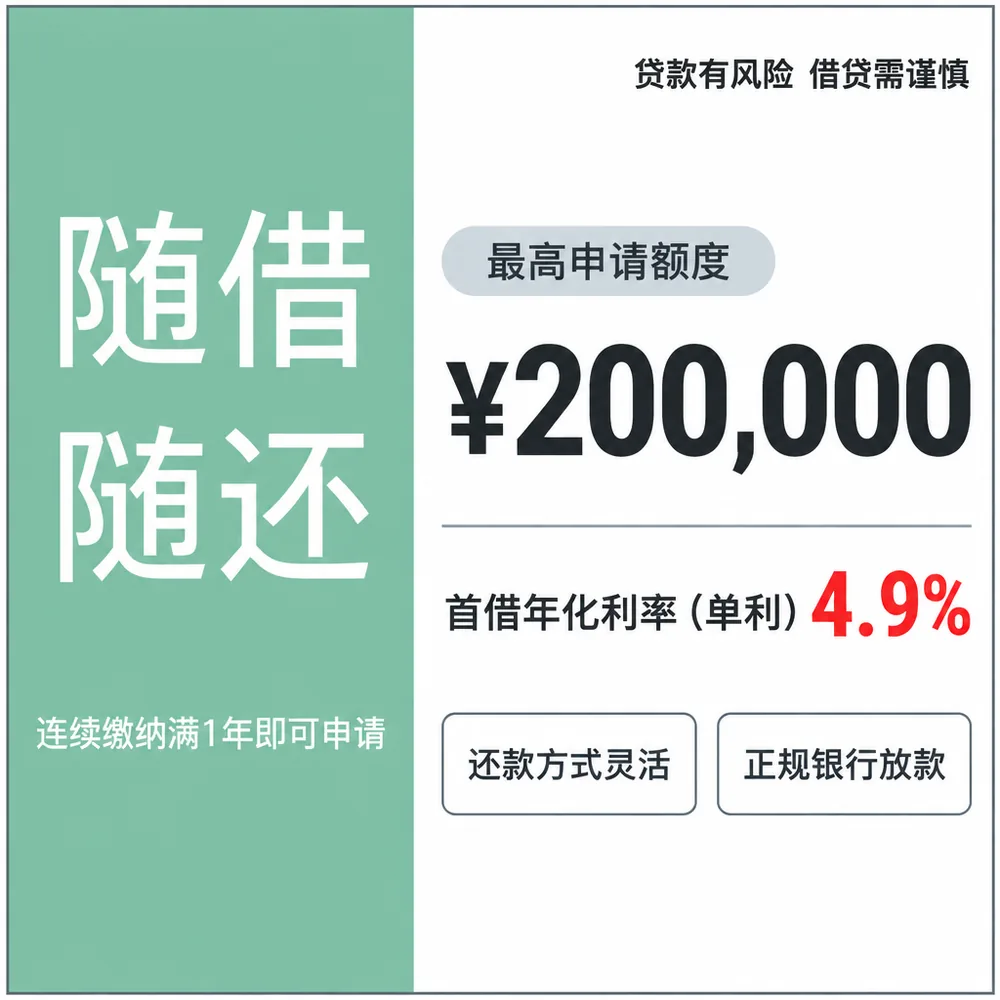
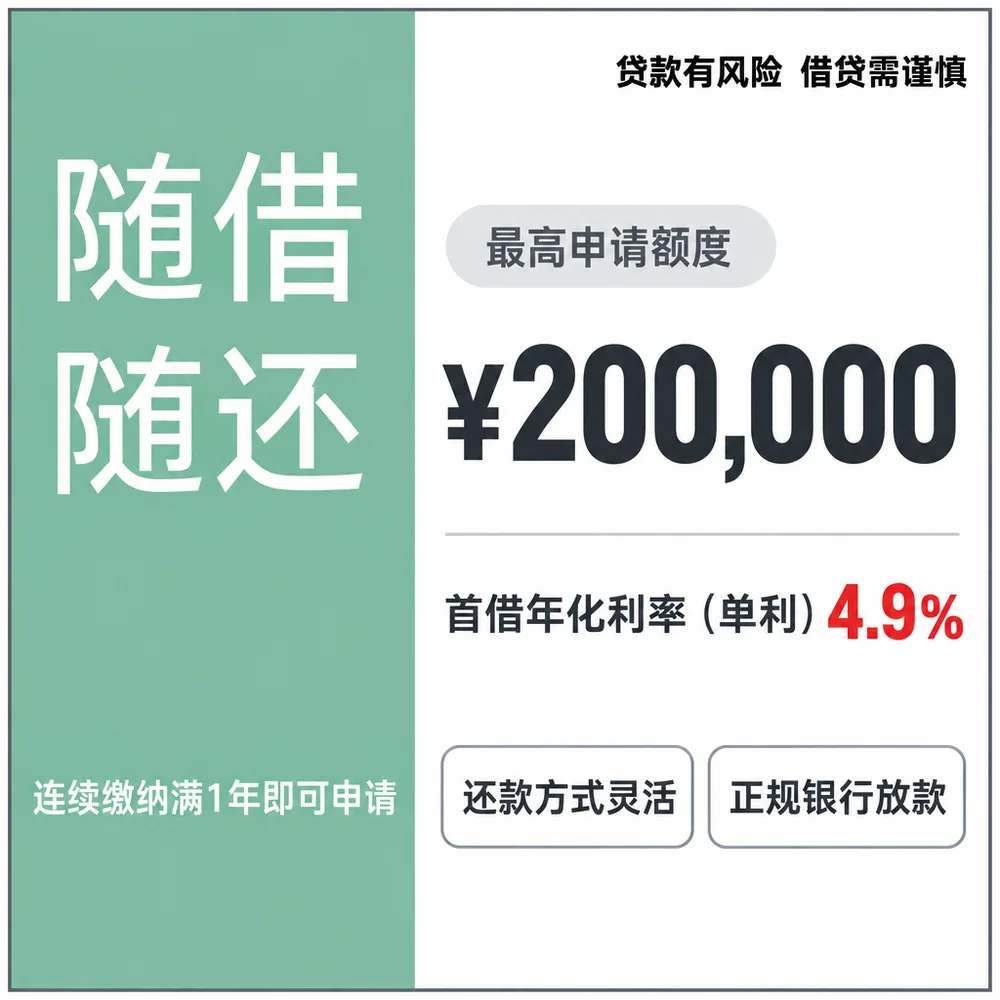
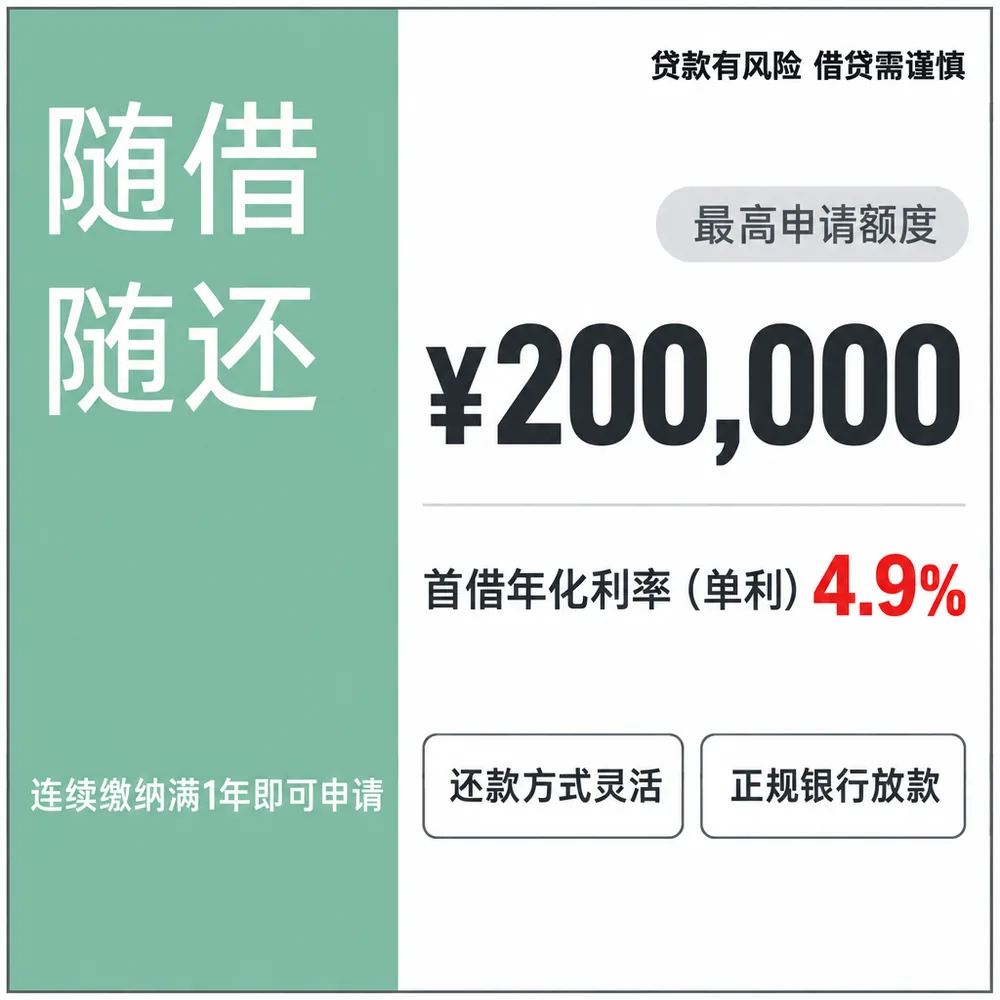
quality field in the request, so the documented default applies and the call is billed at $0.05268. The strokes are as light as the cheap render, and the response does not identify the tier.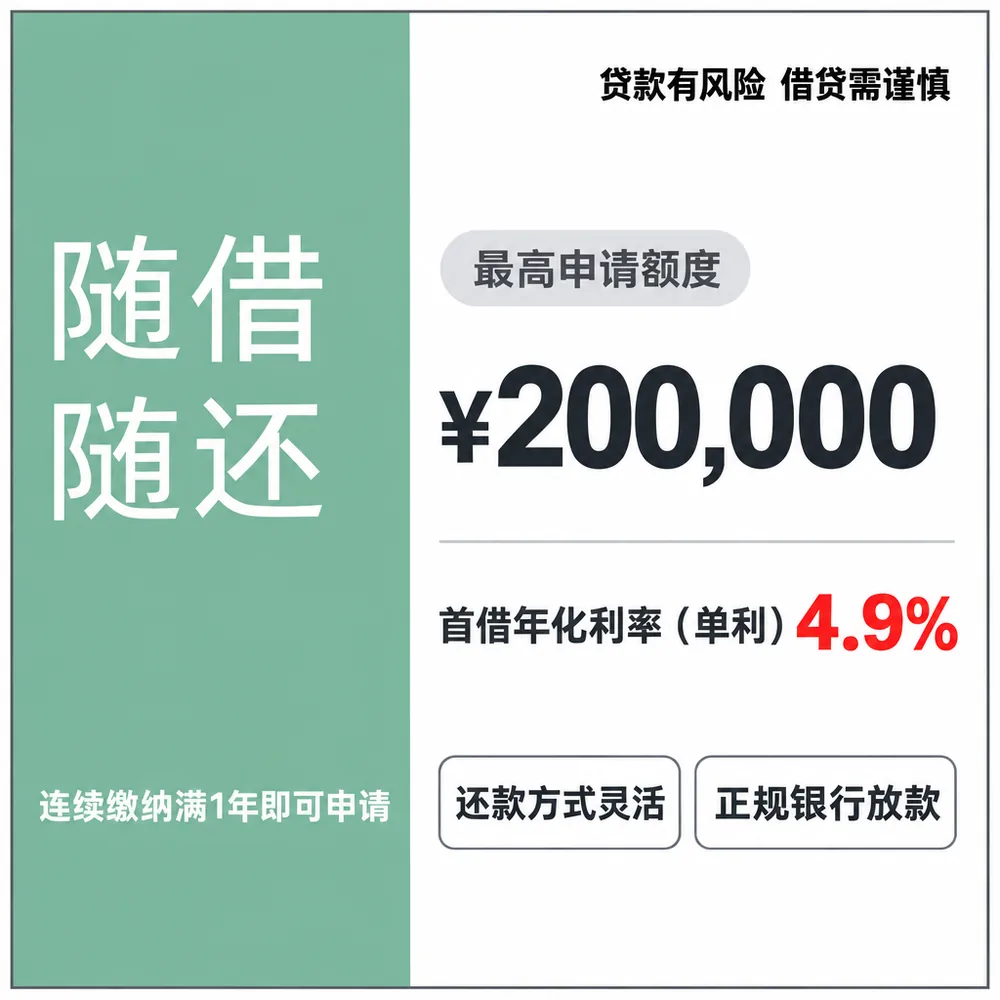
At 1024 pixels the bottom line looked clipped in the cheap renders when I first inspected them. It was not. Measuring the clearance put low at 30 pixels and high at 19 to 20, and no character was cut. That apparent defect came from viewing a downscaled preview, which is the same trap described in the article on AI-written text.
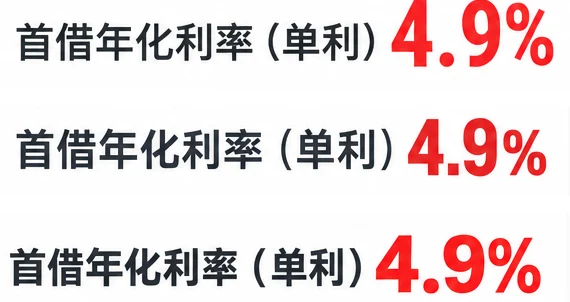
The default is the expensive one
The endpoint page states that its default quality is high. The fifth call is what that looks like: no parameter, one image, the 9× price.
Two things follow.
You cannot audit a tier from the output. If the type weight had tracked the price cleanly, a visual check would be enough to catch a wrong setting. It did not track, so the only reliable read on which tier you paid for is the request you sent or the bill you received.
The API response will not help either. All six calls came back with no usage field, and no inference-time metric. Cost cannot be reconstructed from the response body, which has to come from the price table or the billing page.
For a workflow generating a few hundred layouts a month, this default is a line item nobody entered.
Which tier to use
| Your case | Tier | Why |
|---|---|---|
| Drafting layouts, checking that a compose works | low | Text was already correct here, at 1× |
| A file that goes to a client as is | high | You are buying stroke weight and margin, not accuracy |
| Image quality is the deliverable itself | max | 35.8× low and 2.3× the wall time. The one render we made was correct and light-stroked, so the price bought resolution we could not see at 1024 |
Anything with no explicit quality |
check the request | The default is high, and the output will not tell you |
What this does not say
It does not say the tiers are identical. Six renders cannot characterise a style difference, and the heavy and light renders do look different at 100%. What failed was the link between that difference and the price, at this sample size.
It does not generalise past this prompt. One Chinese layout prompt, one size, one ad category. A brief with dense small print could behave differently at low.
It does not say quality never affects accuracy. It says that on this prompt, with nine strings, every tier was correct, so the 9× bought nothing measurable in that column.
Method
- Sample: six images, two at low, two at high, one at max, and one with
qualityomitted, all from the same 377-character prompt at 1024×1024. - Endpoint:
openai/gpt-image-2.5/flare/text-to-imageon fal, serial calls,num_images=1. - Quality: passed explicitly as
low,highandmaxfor five calls, and deliberately left out of the sixth to exercise the documented default. - Timing: wall clock from submit to downloaded file, plus the queue interval from the status endpoint. No inference-time field came back, so queueing and generation cannot be separated this round.
- Cost: fal’s published per-image price for this endpoint on 2026-10-26, multiplied by the number of images: $0.38052 at table prices.
- Billing check: the account billed $0.3908 for the day. The $0.01028 difference is the prompt’s text tokens, $0.00171 per call, which matches the $0.00172 gap we measured in September. The total also rules out the alternative reading: had the no-parameter call been billed at low, the day would have come to $0.3440.
- Text check: nine strings per image, all checked at full resolution rather than sampled.
- Prompt: the same 377-character brief used in the September model comparison, so renders are directly comparable.
What we are working on next
Vary the prompt length. The $0.01028 gap over six calls is the prompt’s text tokens. A 377-character brief is small, and we have not measured where a longer one starts to move the per-image cost.
Try a prompt with dense small print. Nine short strings at large sizes is the easy case. A long compliance line at 12 pixels is where a tier might earn its price.